Job Desk · Episode 1
How the Job Desk works
You're on a job. A new lead just texted. Who answers it? Here is one evening at a heating and air company, start to finish, in the Job Desk: the AI office manager I build for service businesses in the DMV Area.
Demo, made-up data Every screen below is from the public demo. Sample Heating & Air Co., its customers and its numbers are made up.
The one-hour gap
Only 17% of HVAC companies reply to a new lead within an hour. 78% reply the same day.
Source: Jobber, 2026 Home Service Trends Report, via Jobber's HVAC industry trends.Most companies do reply. Just not fast. Jobber also notes that customers often reach out to more than one company at once, and the first business to respond often gets the job.
When you're on a job all day, the office work waits until night. So what if the office work kept up, and you only touched what needs you?
What the Job Desk is
Four screens: Tonight, Needs you, Jobs and Autopilot. I set it up inside the field-service, email and review apps you already pay for. No new app to learn.
Every task has a level. Some it only suggests. Some it drafts for your OK. Some it runs on its own, logs, and lets you undo.
Tonight: the nightly Report Card
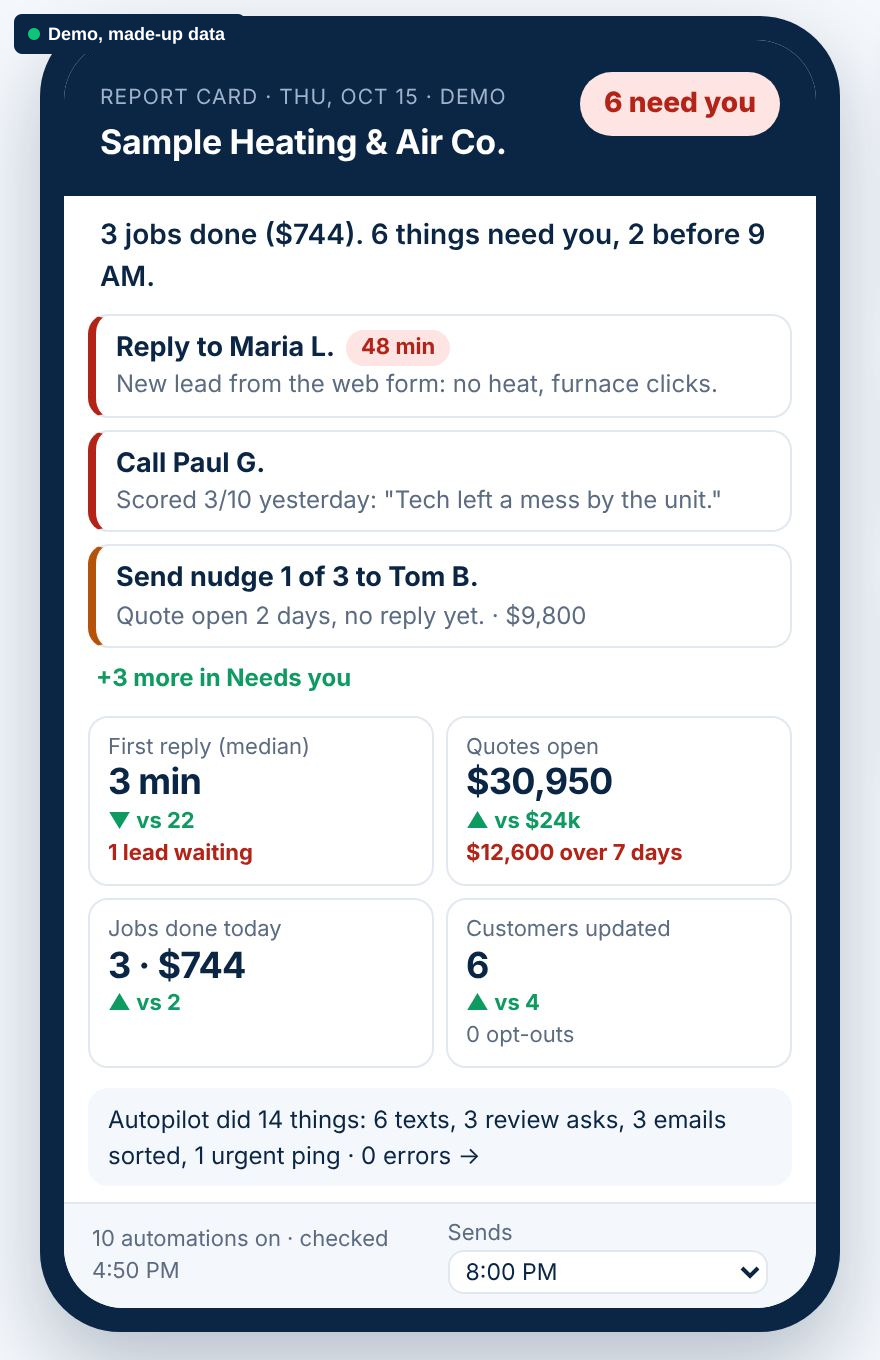
- Every night, you get one screen on your phone. It sends at 8 PM by default, and you can pick any time.
- It starts with one line: all clear, or how many things need you.
- Then at most 3 things, most urgent first, and 4 numbers compared with last week.
- One line says what Autopilot did today, linked to the full log.
- Urgent pings go out only for safety words or a lead waiting over an hour, and never more than 2 a day.
Needs you: one queue
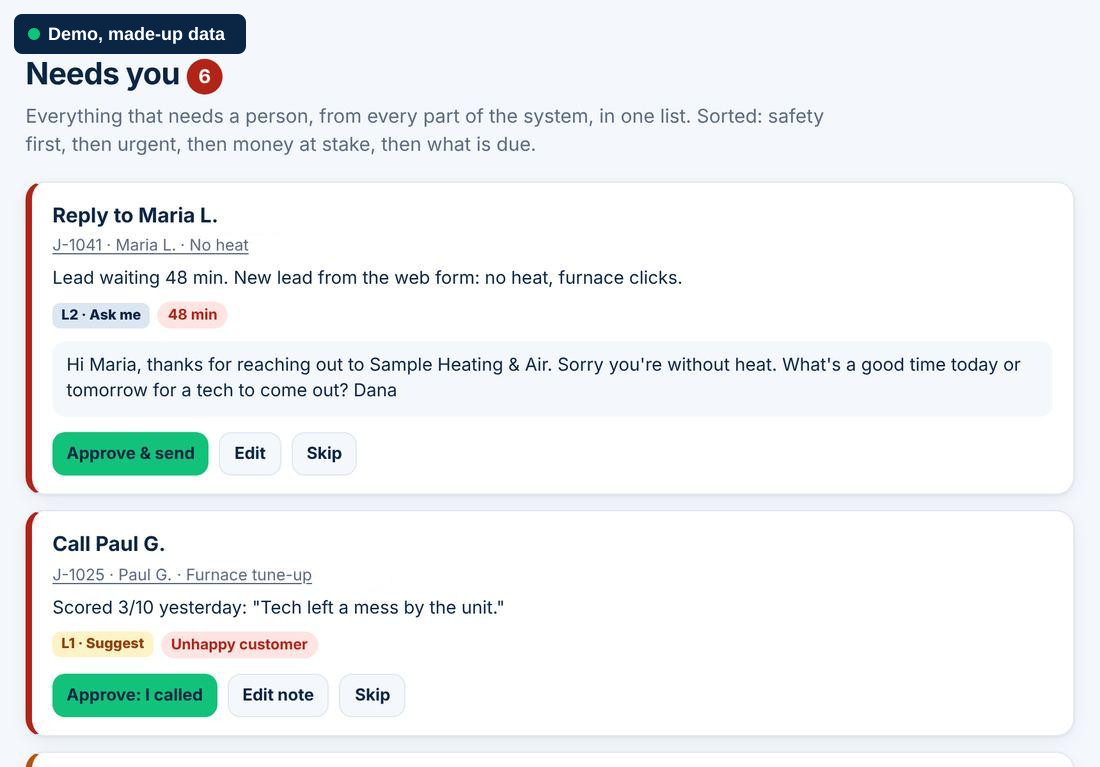
The order is safety first, then urgent, then money at stake, then what's due. Any lead waiting over 15 minutes counts as urgent and turns red. In the demo, Maria's web form says "No heat, furnace clicks but won't start," and she has waited 48 minutes, so she's first.
Approve, edit or skip
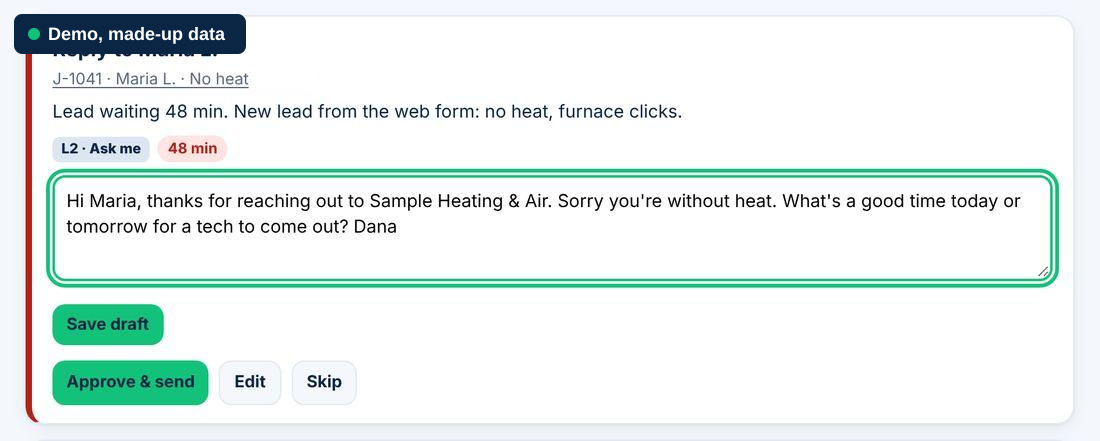
- Edit: change a word or rewrite it. It saves as a draft.
- Approve: it goes out and leaves the list. (In the demo, nothing is really sent.)
- Skip: it won't come back tonight.
Jobs: one timeline per job
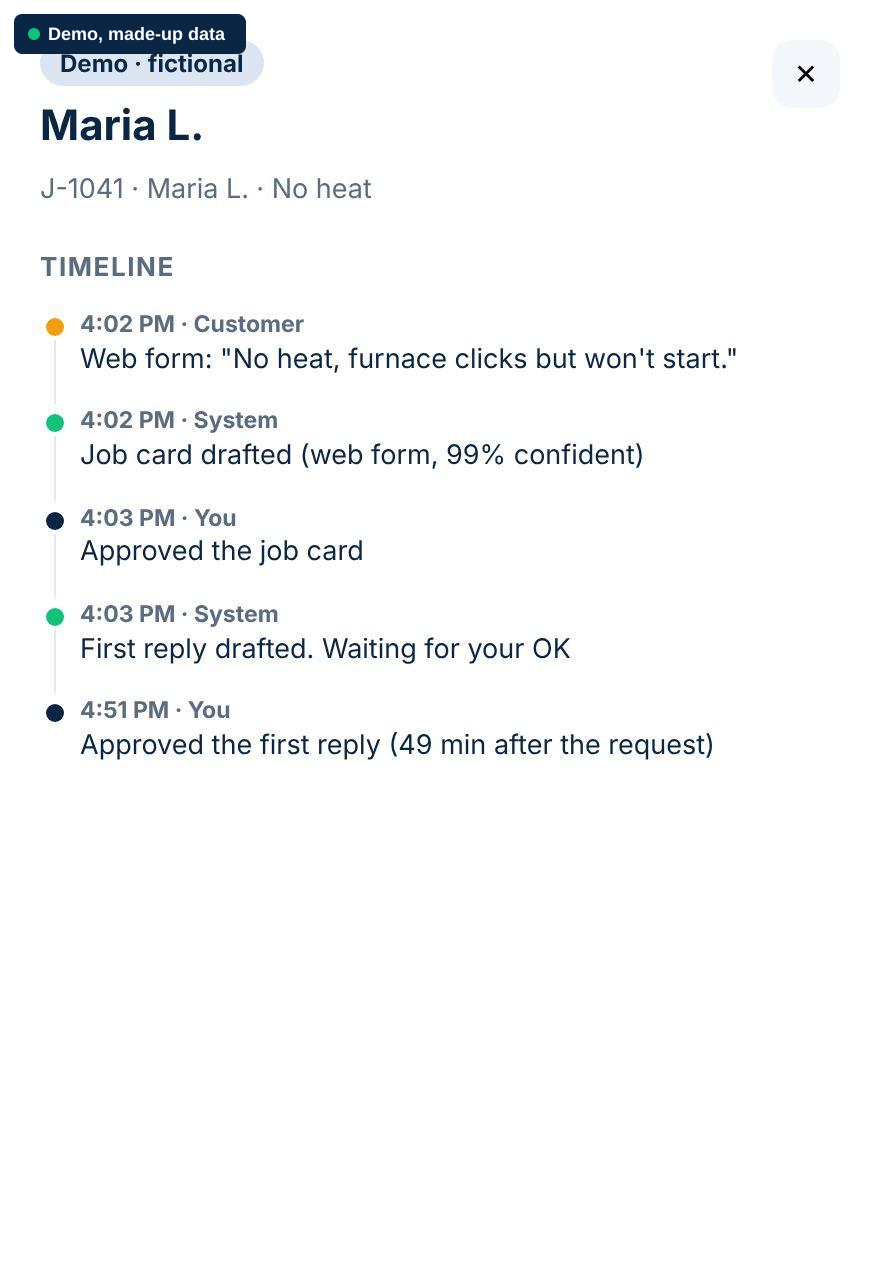
Jobs shows every job and where it stands. Open one to see what the customer said, what the system did, and what you approved.
Open quotes get up to 3 nudges, on day 2, day 5 and day 10. Nudges stop the moment the customer replies. They count as marketing, so consent must be on file and STOP is always honored. Mark a job won or lost, and the remaining nudges stop.
Autopilot: levels and undo
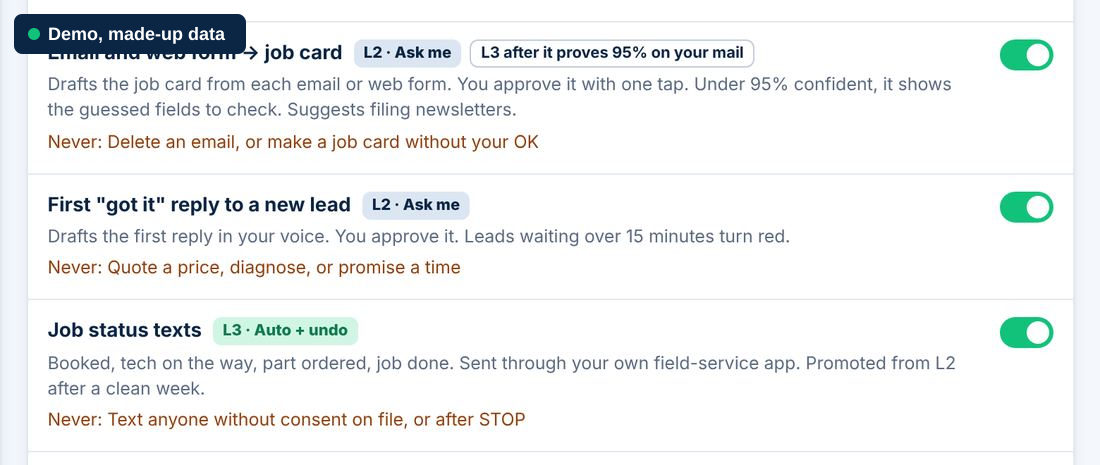
| L0 | Off: never automated |
|---|---|
| L1 | Suggest: you do it |
| L2 | Ask me: it drafts, you approve |
| L3 | Auto + undo: it runs, tells you, and can be undone |
| L4 | Auto: shown in the log only |
An automation moves up a level only after a clean record, like a week with no wrong sends. Any wrong send, complaint or jump in opt-outs drops it a level. Everything Autopilot did is in the log, with Undo. One switch pauses everything.
What it never does
- Touch prices, refunds, invoices or payments. Always you.
- Give technical or safety advice. Safety words like gas, CO, sparks or flood ping your phone right away.
- Contact an upset customer. A low score lands in Needs you as "call them."
- Hold back the review link. Every finished job gets the same one, whatever the score.
Who it's for
I'm Ian. I build the Job Desk for service businesses in the DMV Area: HVAC, plumbing and electrical first, then small property managers and remodelers.
Want to see what it would run for you? Answer a few written questions. Within 3 business days you get a free one-page map: each task, your apps, what the Job Desk would run and what stays with you. No call, no obligation.
Reply SYSTEM and I'll map yours free.
Try it yourself: the Job Desk demo (made-up data, nothing is really sent).